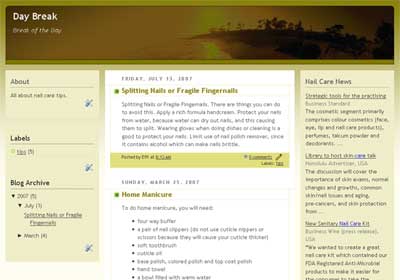
Wordpress Hosting Blogger Template
A theme for Blogspot, Wordpress Hosting. Featuring 3-column layout. See below for installation detail.

Visit here for live demo | Wordpress Hosting Blogger Template (1960)
Installation instruction:
- Login to your Blogger account
- Click on TEMPLATE and EDIT HTML
- Activate the EXPAND WIDGET TEMPLATE
- Copy and paste the html code
- SAVE TEMPLATE.
Related Posts
- Joomla Hosting Blogger Theme
- Blogger Template - Ornament Theme
- Travel The World Blogger Template
- Simply Orange
- For Those of You Who Want to Start Your Own Blog


Hello,
Thanks for the nice new templates.
How can we open the .rar files ?
Thanks
Hi
please go to http://www.win-rar.com. Download and install the program, and extract the rar file.
Thanks.. my blog with new template now
Nice place to get templates, i already download 3…
Thanks a lot…