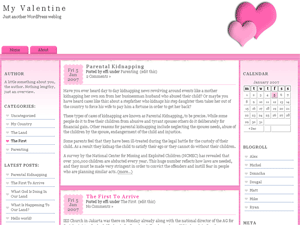
My Valentine (Color Lover 1.05) For WordPress
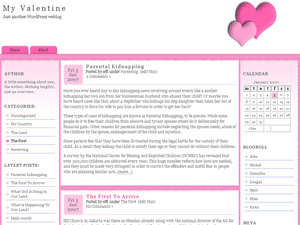
My Valentine’s demo | [download#91]
My Valentine is one of Color Lover series for WordPress. It is pink and pretty. Use this theme to express your love to friends.
How to install My Valentine theme:
- Unzip my-valentine-1.05.zip to your local folder.
- Make any changes you need to.
- FTP to the “themes” folder of your WordPress.
- In your WordPress admin, under “Presentation,” activate theme.
- Download Plugin Clean Archives Reloaded. Place to the “plugins” folder of your WordPress, and activate it.
- Create Archives page. How to do: Go to Write Page, Type “Archives” in Page Title, and in the Page Template, choose “Archives”. Remember to inactive the “Allow Comments”.
[divider]
Sign up with 1z0-451 for getting incredible online 70-681 courses and 70-513 prep guides. We also provide best 350-030 dumps & EX0-101 with guaranteed success.
[divider]
