Minimalist Smiley Blogger Template
Minimalist Smiley Blogger Template, designed for the new Blogger or Blogspot version. Featuring simple and minimalist two-column layout. Installing this theme is very easy. After login to your Blogger account, click on LAYOUT –> EDIT HTML. And then you just need to upload a template from a file (minimalist-smiley.xml) on your hard drive. Don’t forget to SAVE your template.
Preview:
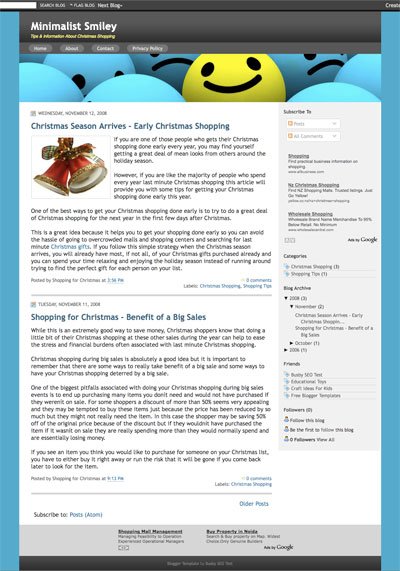
Visit here for live demo | [download#163]
How to edit the TOP MENU section: Click on LAYOUT –> EDIT HTML. On the Edit Template box, find and edit this code:
<div id='topmenu'>

<ul>

<li><a href=''>Home</a></li>

<li><a href=''>About</a></li>

<li><a href=''>Contact</a></li>

</ul>

</div><!-- end topmenu -->
[divider]
Incredible online 650-195 training programs & comptia server+ help you in pass 642-072 exam regarding 70-662. We offer best quality 70-646 training tools for your success.
[divider]

